
User guide · 3
The voice and face your phone uses on a call.
Every Android phone comes with an AI persona that can take a video call: it listens to the person on the other side and answers with its own voice and face. This page says what that is, how a call starts, and which kinds of calls work today.
The persona
One voice, one face, set up for you.
You do not configure anything. The persona is attached to your phone when the phone is created.
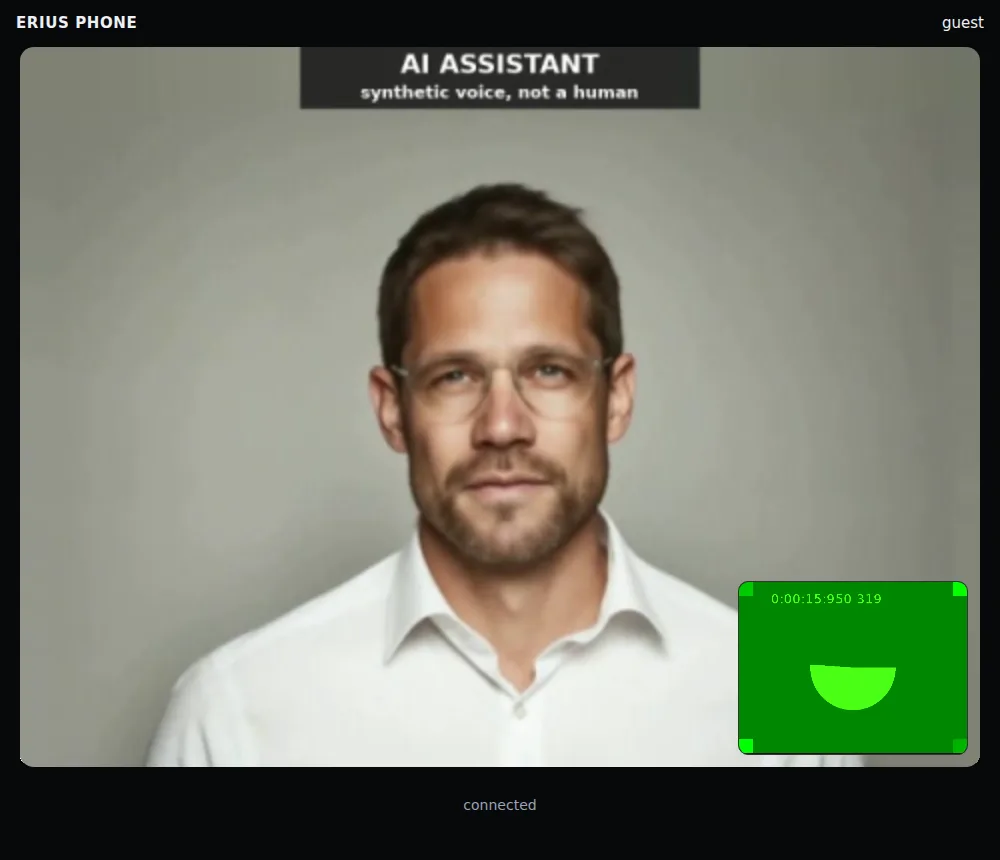
- It says what it is. The persona introduces itself as an AI assistant with a synthetic voice, and the video carries that label for the whole call. This cannot be switched off.
- It listens and answers. It hears your guest through the call and replies in speech. It speaks English by default.
- It is the same for every account today. Your phone's record shows which persona it has:
curl -s \
-H "X-API-Key: $ERIUS_KEY" $ERIUS_API/device/$ERIUS_DEVICE | grep -E '"(persona|mic|camera)"' "mic": true,
"persona": "ash-hank",
"camera": trueash-hank is the one persona that exists: a male voice with a matching face. Voice and face belong together and cannot be set separately.
Choosing a voice
Not possible yet.
We would rather say so than show a menu that does nothing.
| You want | Today |
|---|---|
| Pick another voice or face | waiting One persona for all accounts. |
| Give the persona your own instructions or knowledge | waiting There is no setting or API field for it. |
| Clone your own voice ("voice swap") | not available Voice cloning does not exist in the product. |
| Have your own agent speak with its own audio | works outside persona calls: upload audio to the phone's virtual microphone and any app on the phone hears it. |
If you need another voice, another language or your own instructions, open a ticket and say what for. Requests decide the order we build in.
How a call starts
Three steps, one link.
From the dashboard: Calls, Start a video call. From your agent: one API request. Both do the same thing.
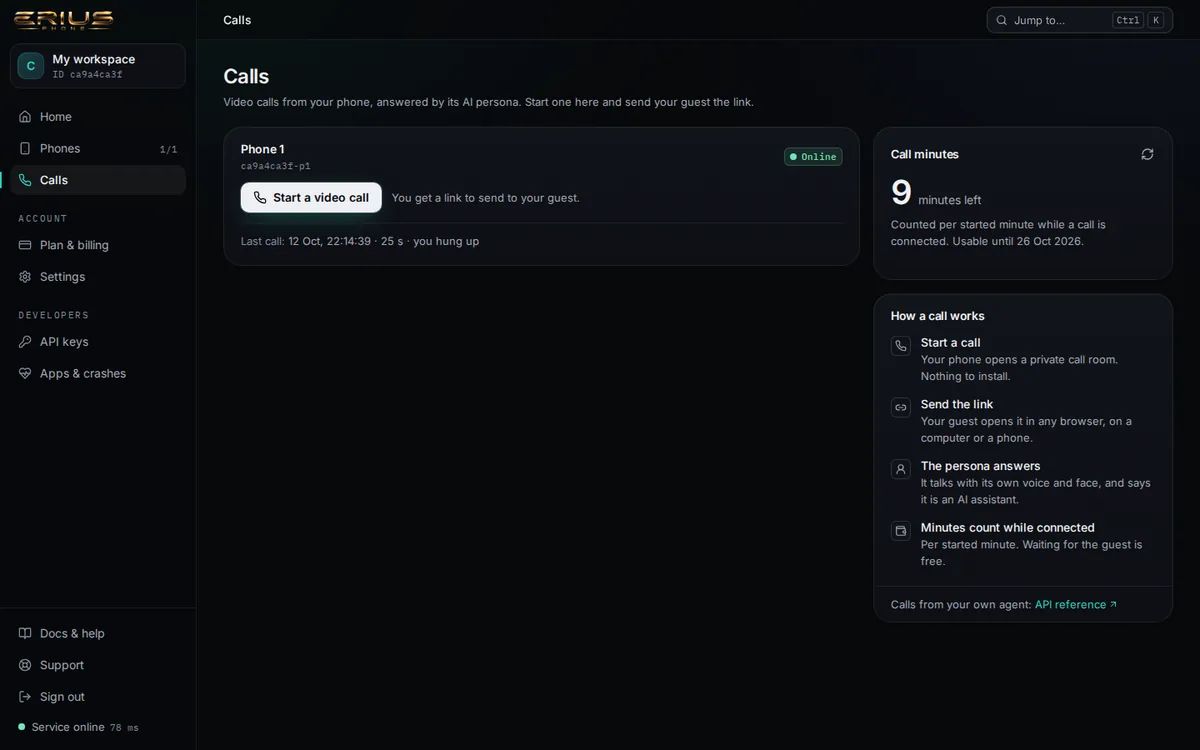
- You start the call. Your phone opens a private call room in its browser and waits. You get a guest link.
- You send the guest link to the person you want to talk to. They open it in any current browser, on a computer or a phone, press Join call and allow microphone and camera. No app, no account.
- The persona answers. It greets the guest and the conversation runs until someone hangs up, the time limit is reached or the minutes run out.
In our two test calls on 12 October 2026 the guest was connected 11 and 17 seconds after opening the link.
curl -s -X POST -H "X-API-Key: $ERIUS_KEY" -H "Content-Type: application/json" \
-d '{"app":"web","max_seconds":300}' $ERIUS_API/device/$ERIUS_DEVICE/calls{
"ok": true,
"device": "ca9a4ca3f-p1",
"state": "ringing",
"room": "GF5zB8dvSm8WPJBi79DmZ13N",
"guest_url": "https://eriusphone.com/call/GF5zB8dvSm8WPJBi79DmZ13N?role=guest",
"device_url": "https://eriusphone.com/call/GF5zB8dvSm8WPJBi79DmZ13N?role=device"
}The details of each request are on the Calls API page.
Only one call per phone at a time. A second start while a call is up is refused with busy.
Kinds of calls
What works and what is waiting.
| Kind of call | Status | Details |
|---|---|---|
| Video call through a call link (browser to your phone) | works | Tested end to end, voice and face. |
| The persona answering in that call | works | Disclosure greeting first, then a conversation. |
| A real phone number: cellular calls, SMS | not available | The phone has no SIM card and no number. |
| WhatsApp calls | waiting | Not offered through the API. WhatsApp also needs a phone number to register, which the phone does not have. |
| Telegram calls | waiting | Not offered through the API, for the same reason. |
| Calls to the phone from outside (inbound) | waiting | Calls are started by you. Nobody can ring your phone. |
| iPhone calls | not available | iPhone is a waitlist; see the FAQ. |
What the API says when you ask for WhatsApp:
curl -s -w "\nHTTP %{http_code}\n" -X POST -H "X-API-Key: $ERIUS_KEY" \
  -H "Content-Type: application/json" \
-d '{"app":"whatsapp"}' $ERIUS_API/device/$ERIUS_DEVICE/calls{
"error": "unsupported_app",
"message": "app must be \"web\" (WhatsApp/Telegram calls: not offered through the API yet)"
}
HTTP 400What a call costs
Call minutes.
A connected call uses your call minutes, counted per started minute. Waiting for the guest is free. Details: Minutes and billing.
Stuck on something?
Open a ticket from your dashboard and we answer there. No key yet? Write to info@eriusphone.com.
Open a support ticket