Early access is invite-only while we onboard the first teams.
Agents work in browsers. People live in apps.
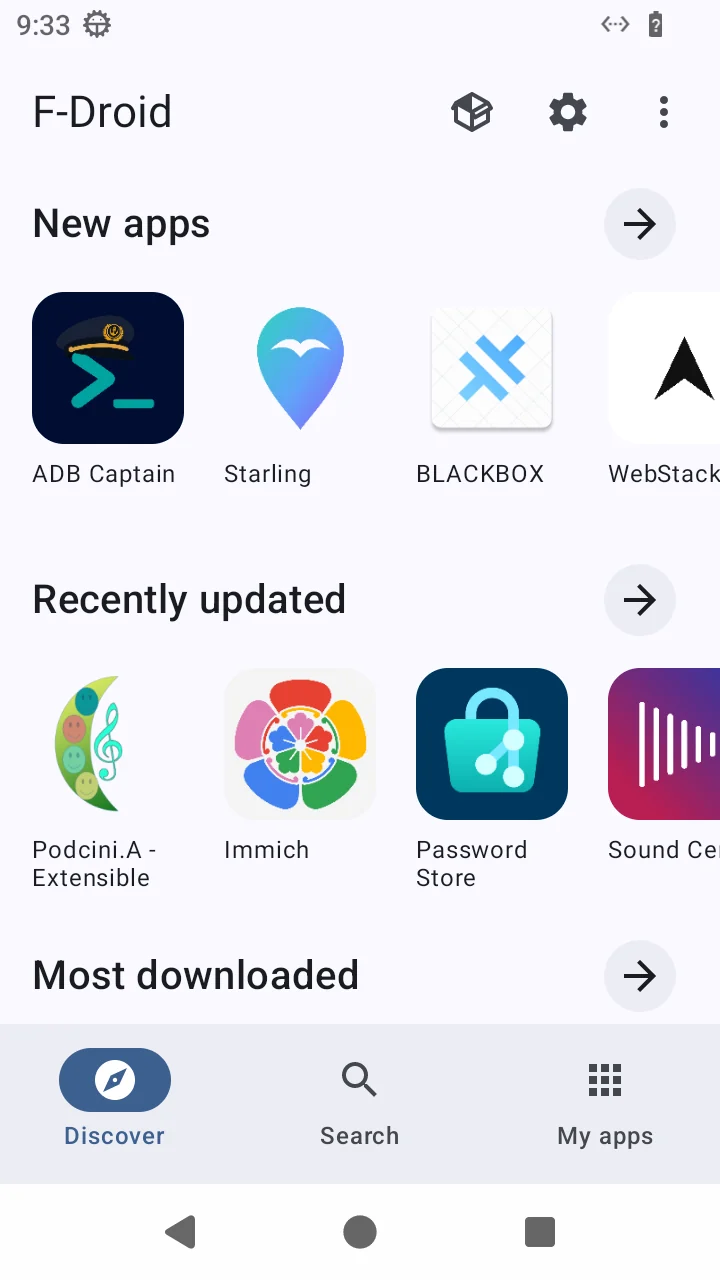
Erius Phone gives your AI agent a real Android device it controls over an API — so it can try your app the way a user would, or use mobile apps on a phone of its own.
agent session · live demo
launch org.fdroid.fdroid 200
screen read · 41 nodes 200
tap "Search" 200
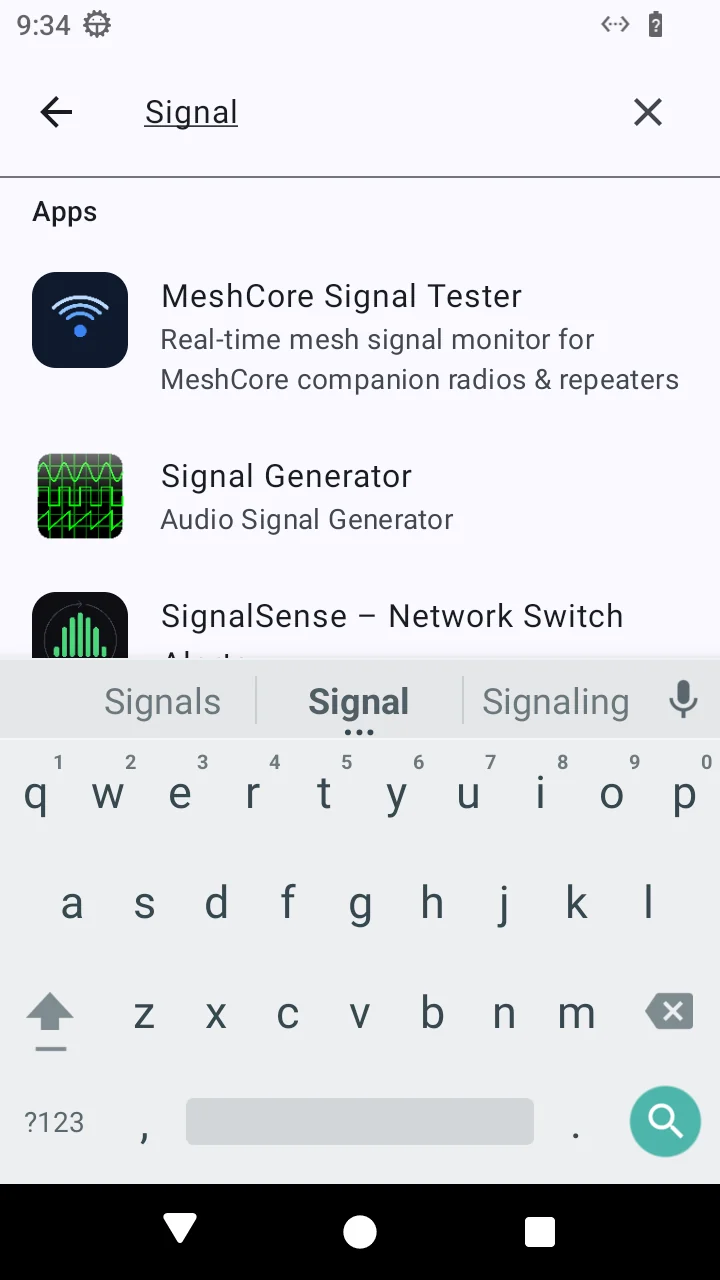
type "Signal" 200
screenshot → step_04.png 200
1:1One phone per agent, in its own isolated container
0Passwords handled by the agent — sign-ins stay human
What it is
Not a simulator. A phone.
Two gaps, one device. If you ship an Android app, there's no easy way to see how a real user — or a real AI agent acting as one — gets through it on a real phone. And if you build agents, they're stuck in browsers and APIs, outside the apps people actually use. Erius Phone is a full virtual Android device — the real operating system, real apps, real Google Play Store, real browser — that your agent uses through the same surface a person does: the touchscreen.
agent viewui tree + vision
// accessibility tree, trimmed
EditText "Signal" focused
TextView "Apps"
Item "MeshCore Signal Tester"
bounds [32,272][688,400] clickable
Item "Signal Generator"
bounds [32,452][688,540] clickable
Keyboard visible ime="latin"// next actiontap("MeshCore Signal Tester")
Real Android
The full OS boots and runs. Apps behave the way they do on a handset — permissions, notifications, keyboards, back stack and all.
Screenshot captured on an Erius Phone device; tree simplified for illustration.
Install source
Google Play
Alternative store
app-release.apkselected
Real apps, real store
Install from Google Play, from an alternative store, or straight from your APK. The agent's apps stay installed on its phone between sessions.
Readtree + screenshot
Decidefrom what's on screen
Acttap "Search"
Looks before it taps
No brittle selectors written in advance. The agent reads the accessibility tree and a screenshot each step, and decides what to do from what's on screen.
taptypeswipelaunch
installreadscreenshot
plain HTTP
One API, every gesture
Tap, type, swipe, launch, install, read, screenshot — plain HTTP calls any agent framework can make.
A step-by-step record of what happened: screenshots at every step, crash reports, and pass/fail per flow.
Use cases
Two problems it solves.
Primary
App QA, done by something that actually uses the app
2/3flows passed · example
Clicking through every flow by hand on every release is slow, and scripted UI tests break the moment a screen changes — so the bugs that slip through are the ones real users find first. Instead, hand over an APK and a list of things a user should be able to do. The agent installs the build on a real Android device, works through each flow by reading the screen, and tells you where it got stuck — with the screenshot to prove it.
Install straight from your APK, every build
Flows written as goals, not selector scripts
Screenshot at every step
Crash reports and pass/fail per flow
run #42 · app-release.apk · example
onboarding  PASS  7 steps   7 shots
search      PASS  5 steps   5 shots
checkout    FAIL  crash at step 6
            stack trace attached
⌃⌃Real Android
Also
Agent automation on real Android
A lot of what people do on a phone happens inside apps that have no website and no public API — and an agent working through a browser can't reach them. On its own phone, it can: anything a person can do on Android, your agent can now do too.
Real apps from Google Play
A browser that's a real mobile browser
State that persists between sessions
Sign-ins stay human. Account sign-ins and other sensitive steps are done once by a person, by design. The agent works inside the session you've set up — it doesn't handle your credentials. Some apps also restrict virtualized devices; we'll tell you plainly when one does.
For your own agent
Give your agent a phone of its own.
You have a phone. Your AI assistant has been living in a chat window. Give it a real Android phone — its own home screen, its own apps, its own browser — and stop lending it yours.
Somewhere to put its apps
It installs apps from Google Play, and they're still there tomorrow.
It scrolls. It types. It taps.
Real apps and a real mobile browser, driven by your agent over a simple API.
You do the sign-ins, once
Like setting up a phone for someone new: you log in to the accounts it needs, then it takes it from there. It never handles your passwords.