
User guide · 4
Start a call from your agent.
Five requests cover everything: read the balance, start a call, read its state, end it, make a spare room. They use the same key and the same address as the rest of the API. Every example below was run against a test account and shows the real answer.
Authentication
Your account key, in a header.
Send the key as X-API-Key, or as Authorization: Bearer. The key decides which phones you can use; there is nothing else to configure.
export ERIUS_API="https://api.eriusphone.com"
export ERIUS_KEY="sdk_...your key..."
export ERIUS_DEVICE="your-phone-id"curl -s -H "Authorization: Bearer $ERIUS_KEY" $ERIUS_API/whoami{
"tenant": "ca9a4ca3f",
"keyId": "k2",
"devices": [
"ca9a4ca3f-p1"
]
}Without a key, or with a wrong one:
curl -s -w "\nHTTP %{http_code}\n" $ERIUS_API/whoami{
"ok": false,
"error": "unauthorized",
"message": "missing or wrong X-API-Key",
"requestId": "4d7c3178c05f85bf"
}
HTTP 401With a phone id that is not yours. The answer is the same whether that phone exists or not, so ids cannot be guessed:
curl -s -w "\nHTTP %{http_code}\n" -H "X-API-Key: $ERIUS_KEY" $ERIUS_API/device/not-my-phone{
"ok": false,
"error": "forbidden",
"message": "device not found or not accessible with this key",
"requestId": "27639e2e9f0e6aaa"
}
HTTP 403Balance
How many minutes are left.
GET /minutes. Call it before you start a call, and after, if you want to know what the call used.
curl -s -H "X-API-Key: $ERIUS_KEY" $ERIUS_API/minutes{
"tenant": "ca9a4ca3f",
"balance_minutes": 9,
"usable_minutes": 9,
"period_end": "2026-10-26T20:09:39Z",
"unlimited": false,
"expired": false
}| Field | Meaning |
|---|---|
balance_minutes | Minutes on the account. |
usable_minutes | Minutes a call can use right now. It is 0 when the balance is 0 or the period is over. |
period_end | The minutes can be used until this time (UTC). |
unlimited | true only for internal accounts. |
expired | true when period_end has passed. |
Start a call
One request, and you get the guest link.
POST /device/:id/calls. The phone opens a private call room and waits for the guest.
curl -s -X POST -H "X-API-Key: $ERIUS_KEY" -H "Content-Type: application/json" \
-d '{"app":"web","max_seconds":300}' $ERIUS_API/device/$ERIUS_DEVICE/calls{
"ok": true,
"device": "ca9a4ca3f-p1",
"state": "ringing",
"room": "GF5zB8dvSm8WPJBi79DmZ13N",
"guest_url": "https://eriusphone.com/call/GF5zB8dvSm8WPJBi79DmZ13N?role=guest",
"device_url": "https://eriusphone.com/call/GF5zB8dvSm8WPJBi79DmZ13N?role=device"
}| Body field | Meaning |
|---|---|
app | Must be "web". Other values are refused; see below. |
max_seconds | Optional time limit for the call, 30 to 3600. Default 600 (ten minutes). |
url | Optional. The device_url of a room you made earlier with POST /calls/rooms (below). Leave it out and a new room is made for you. |
| Answer field | Meaning |
|---|---|
state | ringing: the phone is in the room and waits for the guest. |
guest_url | Send this to the person you want to talk to. They open it and press Join call. |
device_url | The address the phone itself opened. You do not need it. |
room | The room's name. A new one for every call. |
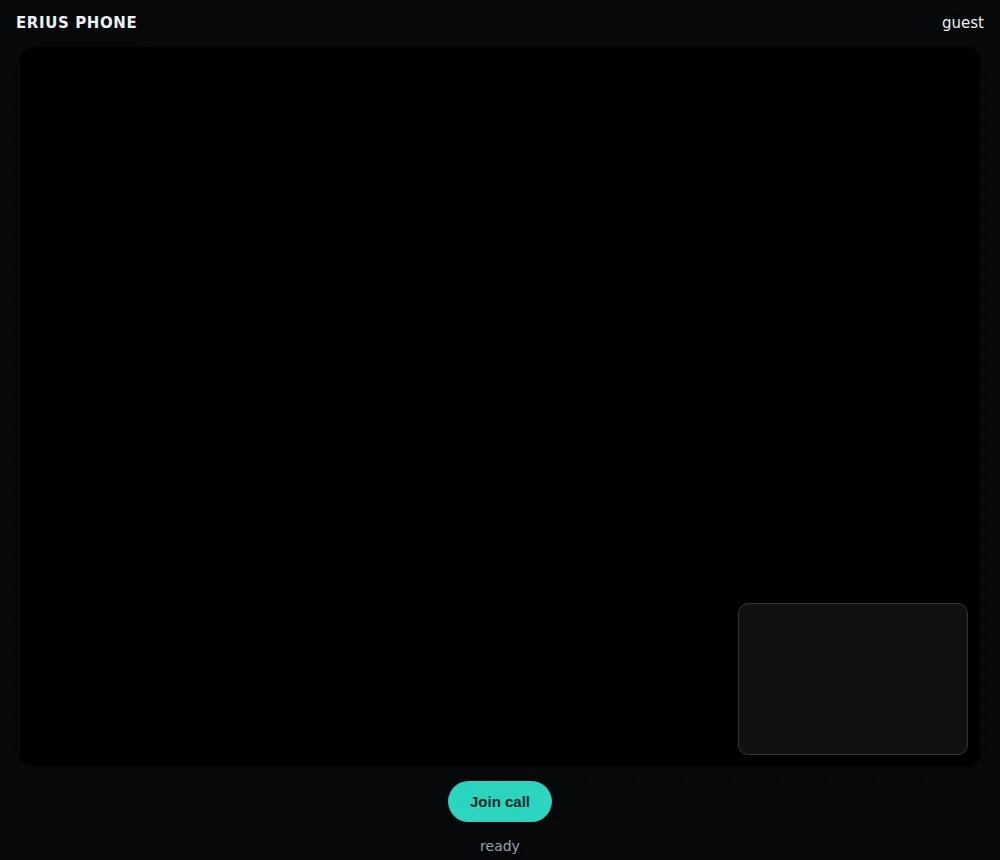
Treat the guest link like an invitation. Anyone who has it can join that one call. When the call has ended your phone is no longer in the room, so the link reaches nobody.
Call state
Ringing, connected, ended.
GET /device/:id/calls. Poll it every few seconds if you need to follow a call.
While the phone waits for the guest:
curl -s -H "X-API-Key: $ERIUS_KEY" $ERIUS_API/device/$ERIUS_DEVICE/calls{
"ok": true,
"app": "web",
"url": "https://eriusphone.com/call/GF5zB8dvSm8WPJBi79DmZ13N?role=device",
"max_s": 300,
"state": "ringing",
"id": "1791836570543864383",
"started": "2026-10-12T20:22:50Z",
"open": "http://localhost:8971/call/GF5zB8dvSm8WPJBi79DmZ13N?role=device"
}After the guest joined:
curl -s -H "X-API-Key: $ERIUS_KEY" $ERIUS_API/device/$ERIUS_DEVICE/calls{
"ok": true,
"app": "web",
"url": "https://eriusphone.com/call/GF5zB8dvSm8WPJBi79DmZ13N?role=device",
"max_s": 300,
"state": "connected",
…state | Meaning |
|---|---|
idle | No call. last describes the previous one. |
starting | The phone is opening the room. |
ringing | In the room, waiting for the guest. Not counted. |
connected | Guest and persona are talking. Minutes are counted. |
ended | Just finished; becomes idle within seconds. |
The open field is the internal address the phone uses to load the room. Ignore it.
End a call
From your side.
POST /device/:id/calls/hangup. The guest can also just leave; the call is then cleaned up by itself.
curl -s -X POST -H "X-API-Key: $ERIUS_KEY" $ERIUS_API/device/$ERIUS_DEVICE/calls/hangup{
"ok": true,
"state": "ended"
}Afterwards the state is idle and last says how the call ended:
curl -s -H "X-API-Key: $ERIUS_KEY" $ERIUS_API/device/$ERIUS_DEVICE/calls{
"ok": true,
"state": "idle",
"last": {
"app": "web",
"url": "https://eriusphone.com/call/GF5zB8dvSm8WPJBi79DmZ13N?role=device",
"max_s": 300,
"state": "ended",
"id": "1791836570543864383",
"started": "2026-10-12T20:22:50Z",
"open": "http://localhost:8971/call/GF5zB8dvSm8WPJBi79DmZ13N?role=device",
"ended": "2026-10-12T20:23:35Z",
"reason": "hangup"
}
}reason | Meaning |
|---|---|
hangup | You ended it through the API or the dashboard. |
call_over | The guest hung up. |
max_seconds | The time limit was reached. |
minutes_exhausted | The call minutes ran out. |
session_end, stop_file | The call ended or was stopped on our side. |
The balance after this call of about half a minute. One started minute was used:
curl -s -H "X-API-Key: $ERIUS_KEY" $ERIUS_API/minutes{
"tenant": "ca9a4ca3f",
"balance_minutes": 8,
"usable_minutes": 8,
"period_end": "2026-10-26T20:09:39Z",
"unlimited": false,
"expired": false
}A spare room
A room without a call.
POST /calls/rooms only creates a room and returns its two links. Nothing is started and nothing is counted. Use it when your agent wants the guest link before the call begins: send guest_url to your guest, then start the call with device_url as the url field. We ran that sequence too; the start answers ringing, without repeating the links.
curl -s -X POST -H "X-API-Key: $ERIUS_KEY" $ERIUS_API/calls/rooms{
"room": "gSc3Fjm9QsAJxH9h21TGeMRj",
"guest_url": "https://eriusphone.com/call/gSc3Fjm9QsAJxH9h21TGeMRj?role=guest",
"device_url": "https://eriusphone.com/call/gSc3Fjm9QsAJxH9h21TGeMRj?role=device"
}Errors
What a refused request looks like.
Errors carry a short error code and a message. The HTTP status tells you the kind.
A call is already up on this phone:
curl -s -w "\nHTTP %{http_code}\n" -X POST -H "X-API-Key: $ERIUS_KEY" \
-H "Content-Type: application/json" -d '{"app":"web"}' $ERIUS_API/device/$ERIUS_DEVICE/calls{
"ok": false,
"error": "busy",
"message": "a call is already up on this device"
}
HTTP 409No minutes left:
curl -s -w "\nHTTP %{http_code}\n" -X POST -H "X-API-Key: $ERIUS_KEY" \
-H "Content-Type: application/json" -d '{"app":"web"}' $ERIUS_API/device/$ERIUS_DEVICE/calls{
"ok": false,
"error": "no_minutes",
"message": "no call minutes left on this account"
}
HTTP 402An app other than web:
curl -s -w "\nHTTP %{http_code}\n" -X POST -H "X-API-Key: $ERIUS_KEY" \
  -H "Content-Type: application/json" \
-d '{"app":"whatsapp"}' $ERIUS_API/device/$ERIUS_DEVICE/calls{
"error": "unsupported_app",
"message": "app must be \"web\" (WhatsApp/Telegram calls: not offered through the API yet)"
}
HTTP 400A time limit outside 30 to 3600:
curl -s -w "\nHTTP %{http_code}\n" -X POST -H "X-API-Key: $ERIUS_KEY" \
  -H "Content-Type: application/json" \
-d '{"app":"web","max_seconds":5}' $ERIUS_API/device/$ERIUS_DEVICE/calls{
"error": "bad_max_seconds",
"message": "max_seconds must be an integer 30..3600"
}
HTTP 400A url that is not https://:
curl -s -w "\nHTTP %{http_code}\n" -X POST -H "X-API-Key: $ERIUS_KEY" \
  -H "Content-Type: application/json" \
-d '{"app":"web","url":"http://example.com/room"}' $ERIUS_API/device/$ERIUS_DEVICE/calls{
"error": "bad_url",
"message": "url must be an https:// URL"
}
HTTP 400| Status | error | What to do |
|---|---|---|
| 400 | unsupported_app, bad_max_seconds, bad_url, bad_json | Fix the request body. |
| 401 | unauthorized | Send your key. |
| 402 | no_minutes | Ask for minutes: Minutes and billing. |
| 403 | forbidden | The phone id is not on your account. |
| 409 | busy | Hang up the running call first. |
| 409 | calls_not_set_up | This phone has no calling setup. Open a ticket. |
| 502, 504 | upstream, timeout | Our side did not answer in time. Try again; if it repeats, open a ticket. |
Limits
Worth knowing before you build.
- One call per phone at a time.
- No call history endpoint. Only the latest call is kept, in
last. - No relay server. Calls connect directly between the guest's browser and your phone. A guest on a network that blocks direct connections (some company networks) may not connect; see Troubleshooting.
- Outgoing only. Calls are started by you. There are no incoming calls and no webhooks.
- Capacity. A video call is heavy. If many calls run at once on our side, a new one can be slow to connect.
Stuck on something?
Open a ticket from your dashboard and we answer there. No key yet? Write to info@eriusphone.com.
Open a support ticket